How It Started
Back in 2017, I was using this k8s distribution called Typhoon, hosted over at DigitalOcean. This was only for experimentation and I never really ended up hosting anything there.
Around 2020, I started hosting a small Pi-hole setup for DNS-based ad filtering, installed on my raspbery pi. But this was also short lived and I turned it off after a year.
Learning from my last two setups, I wanted to start fresh and build something which is easy to maintain. I also want to start hosting some applications which I use on a regular basis. I am trying to be pragmatic, on what to self host and what to not.
Finding the Right Box
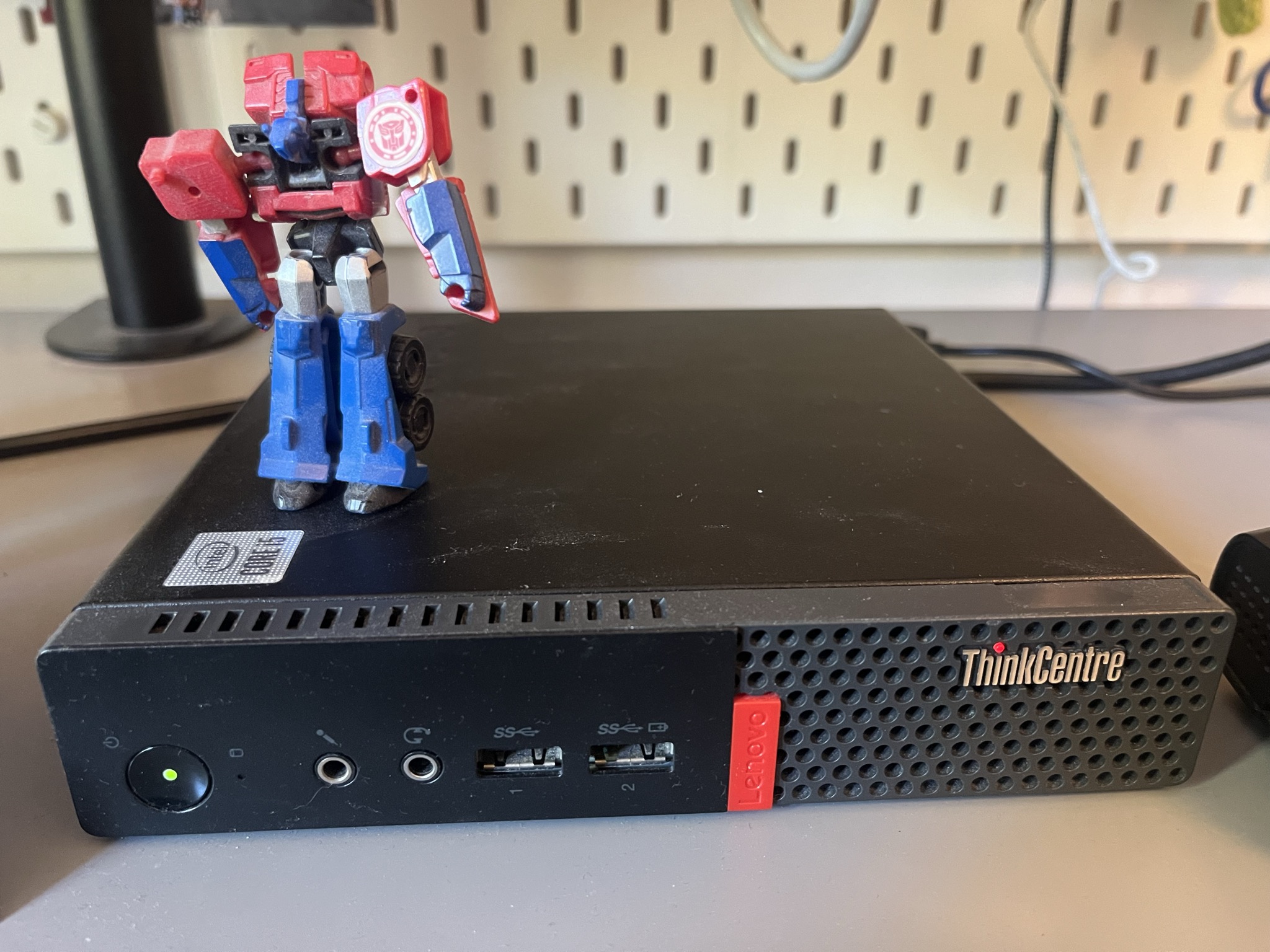
I started looking for different machines on eBay, Kleinanzeigen. After a few days of searching on and off, I came across this machine from Lenovo called The Think Center. It was selling for pretty cheap, so I ended up buying it.
The model is a Lenovo ThinkCentre M75Q Generation 2 and comes with 8 GB of RAM and around 256 GB of space. It might seem less, but I just want to start with something rather than overthink too much about what configuration I would have wanted.
I can go maximum till 64 GB with 2x32 GB card slots. And for storage, I have two slots. I could practically go all the way till 6 TB of NVMe storage on this machine. If required, I would always be able to attach an external drive through the USB. But again, something to figure out as I grow usage.
Luckily, the machine came with a Wi-Fi dongle attached, so I didn’t have to attach an ethernet cable, from a router sitting in a different room. I will look further into it, if there are upload/download issues later.
Here’s what it looks like.
Why NixOS
I installed NixOS on my machine, and this is the first time I’m playing around with NixOS. To be honest, I really like the style of setup, with configuration being first-class and everything following from there.
This brings me to the point of comparing it with other setups, which I’ve tried for my homelab:
- Terraform
- running Ansible on the server
- other configuration engines like Chef
A couple of things which standout for nixos is
- There’s no LTS version, so nixos keeps doing rolling updates.
- I can modularise my applications and configuration as it grows into different files. Very ansible-y.
- Incremental changes with every configuration change, forcing you to rollout one change at a time.
Claude is helping me quite a bit on the heavy lifting of the syntax as of now.
The decision to pick up NixOS was also due to me wanting to try it out for a while.
Getting Connected
Now, connectivity to the home server was the next thing which I wanted to figure out. I didn’t want to expose the home server to the internet, as that opens a whole can of worms. I didn’t want to solve that as of now. The first thing which I did after installing the bare minimum NixOS configuration was to set up Tailscale on the machine and connect my personal laptop and the home server on the same network, getting ssh access solved.
Next was to clone the home server configuration repo which I had created and symlinking the directory to /etc/NixOS.
As of now, my flow is to make changes to git on my local machine; then that gets pulled over onto the home server. Updating the server with new configuration, is not automatic right now. I have to run nixos rebuild switch after doing a manual git pull. Probably something to check further on how to automate.
So that took care of connectivity and configuration in general on the home server, and the next bit was, of course, what was I going to set up on my machine?
What I’m Running
I ended up setting a YNAB alternative called Actual Budget. I wanted to have multiple users without relying on an external Identity provider. I installed Kanidm, using which I create different users, who then can authenticate with actual budget.
The reason why I ended up selecting my own oidc provider was because I just wanted to start using a self-hosted service, see how it works and play around with it.
Then I set up Caddy server for terminating HTTPS and reverse proxying to the containers which are running on the server along with tailscale providing the TLS certificates for the hostname itself.
I am exposing these services on my Tailscale server on different ports, using virtual hosts.
So to use actual budget, for example on my phone, I connect to tailscale. Then I go to the tailscale-endpoint:port where actual budget is bound.
That’s a little bit about what kind of services I had set up and my reasoning behind choosing to set them up. Now I started the post by mentioning my setup which I had done for pi hole, so am I running it now?
On DNS and Pi-hole
After setting up pihole, I added the home server private Tailscale IP to my Tailscale configuration’s name server. I enabled the override DNS option so that all DNS requests on the network from each device would always use this name server for their DNS requests. This would then make every device connected on the tailscale network route it’s DNS queries through the nameserver (the homeserver itself), where Pi-hole is running.
Since this setup would only query my Pi-hole setup when a device was connected to Tailscale, I could simply disconnect from tailscale from a device in case my Pi-hole was not working as expected or it was down for some reason. This would ensure my DNS would still work on my client device.
Very recently, I stopped pihole and started using this service called NextDNS instead and I’ll share my reasoning behind it.
The reason for that, I wanted to keep things simple for the start and not worry about uptime too much. If you notice, the other service called Actual Budget is just a bare minimum SQLite database which it uses, not a full-on setup with Redis or Postgres. I wanted to keep it very simple to begin with for the applications that I am hosting, so that I am not spending a lot of time in the maintenance.
And something like DNS was something which I was thought would need a decent amount of uptime in my setup, felt like a good opportunity to offload to a managed service provider. Given the cost for it was 19.9 euros for the whole year for any amount of devices connecting to the managed service, that seemed like a fair trade-off to make. Again, I’m not arguing that you should not self-host by the way, pihole or ad guard. I even might actually even reconsider this decision over time, but for now I just want to keep it very simple and at a bare minimum.
What’s Coming Next
Now, on what things I am thinking of hosting in the future. I was thinking of having a self-hosted version of Splitwise and a task manager running on the home server, potentially something which is written in go or Rust. The reason for that would be mostly just to be able to peek under the hood and be able to understand quickly. On why these two languages, Rust, I want to start learning/reading/writing and Go is something which I write for everyday things for myself and at work.
For future services, on my list to be added is paperless as for document management. For hosting my own photos, I was thinking Immich. Would also be open to exploring having my own local LLM model running on my home server and see where it goes, but nothing immediate as of now.
I’ll share a post on how I set up actual budget with the configuration that it has, just for my own reference and also future work which I am putting on my home server.
Backups
The number one reason I was not trying to put everything on to the server immediately was because I have not yet figured out backups on this machine. Not that any of the things which I’ve set up as of now are generating huge amounts of data or handling huge amounts of data, but this is a problem which will obviously come.
Given I wanted to take an approach of a very laid-back setup where I would not have to deal with it day in and day out, this is something which I still have to figure out. I think I’ll most likely go with restic for backups and parking it at either Backblaze or a Hetzner.
I wanted to also share my nix OS configuration, which I have as of now and here’s the link for it.
https://github.com/tasdikrahman/homeserver
Ending notes
Finally have my home server setup, which I can play around with. Certainly gives me joy when I’m working on it. I guess what I’ll also figure out over time is how much complexity I want on my setup and what is the complexity which I want to deal with. Which I feel is a semi-regular question you have to answer when self-hosting services. When would be something which you wanted to give off to a managed service provider, for example.
But at the end, everything is a trade-off, and you, being the owner of your own home server. You should make that call for what you want to work with in general. I hope this post inspires somebody to take the leap on the personal home server space.
Massive thanks to goutham for reviewing the post